PerfectLap
Telemetry Visualised
You shouldn't have to be an engineer to understand where lap time comes from. PerfectLap lets you upload your iRacing telemetry, compare your laps against Garage61 exports, and visualise them with real-time 3D rendering. Compare lines, brake traces, slip angle, tyre temperatures1 and more to intuitively understand how to unlock lap time.
1 Real-time tyre surface temperatures are available for IBT files, not Garage61 exports.
Why does PerfectLap exist?
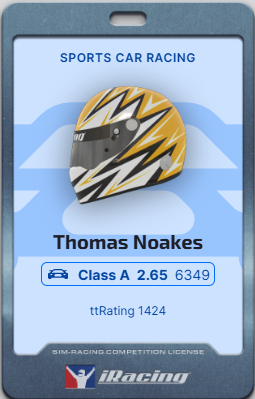
I've been coaching hundreds of sim racing students full-time for the last two years, while racing as a top 0.8% rated driver myself. I created PerfectLap with one goal: to show everybody what I notice when I'm coaching.
I can see when a line looks wrong, when a driver isn't rotating the car, when they apex too early. And even though conventional telemetry analysis is useful, I don't usually rely on it when coaching — I can see the mistakes. Now, with PerfectLap, you can too…
Tom Noakes — PerfectLap Founder · Noakesy Coaching
You've never seen your
driving like this.
Going faster used to mean staring harder at a 2D track map and a wall of graphs. PerfectLap rebuilds your lap in three dimensions — so you can actually see the path to faster lap times.

When you follow a slightly quicker driver through a corner, you learn something about why they're faster. Reading that from 2D traces takes an engineer's eye — PerfectLap lets you learn it through the lens of a driver instead.
Your lap and the reference are placed on the exact same tarmac, synced to the same instant — so the gap is spatial, not abstract.
Freeze the moment it goes wrong, orbit around it, and replay it until the fix is obvious. The corner explains itself.
Trail braking,
made visible.
Effective corner entry means rotating the car — and rotation is slip angle. Almost every telemetry tool ignores it. PerfectLap gives slip its own channel, shows it live, and exaggerates it in the visualiser until you can see exactly how a driver turns the car.

If you've stared at telemetry wondering why you lack mid-corner speed, this is usually the answer: how you rotate the car on entry, and how much slip you carry doing it.
Slip angle gets its own live data channel alongside speed, throttle and brake — so the rotation story sits right next to the inputs that create it.
Dial slip factor up to 5× and the car visibly rotates beneath you in the viewer — when it starts, how long it lasts, and when the fast lap straightens up.
See where the best
drivers find grip.
It's hard to feel what a slightly smoother brake release is really worth. G-force racing lines paint it straight onto the track — braking, cornering and acceleration forces in colour, where more intensity means more force.

Red is braking, blue is cornering, green is accelerating — and the colours blend where forces combine: purple under braking-while-turning, turquoise powering out of a corner.
A gradual transition into red is a progressive brake release; an abrupt one is a stab. Subtle in the traces, unmissable painted on the road.
Flick between your line and the comparison over the same corner and the difference in technique is sitting right there on the tarmac.
Find exactly where
the time goes.
The delta is the running gap between your lap and the reference, updating live as the cars drive. Sync-to-point re-aligns both laps at any moment — so a single corner becomes a side-by-side comparison, and the loss has nowhere to hide.

A running time delta ticks with the cars — positive means you’re behind. It’s the scoreboard for every experiment: change the line, watch what it’s worth.
One click re-aligns both laps at the playhead. Cars that had drifted seconds apart snap back to the same piece of road, ready to run the next corner together.
With the laps synced, the upcoming corner is a fair fight — watch precisely where the loss happens: the braking point, the apex speed, or the drive off the exit.
Know the instant
you're overdriving.
Real-time tyre surface temperatures¹ make overworking the car obvious: the moment you push past the limit, exactly which tyre paid for it, and whether the inside, middle or outside of the tread took the punishment.

Push past the limit and the overworked tyre lights up as it happens — not a lap later on an average. Cause and effect, in the same corner.
Inner, middle and outer tread temperatures live on the 3D tyres and in the graphs — the difference between a camber story, a pressure story, and a driving story.
Look after your tyres like the quick drivers do — keep them in their window and your pace is still there at the end of the stint, when everyone else’s has gone.
¹ Real-time tyre surface temperatures are available for IBT files, not Garage61 exports.
All the data, none
of the homework.
Going visual-first doesn't mean going without data. Every graph updates live as the lap plays — and the channel manager lets you build the exact dashboard you want, with the channels you care about, arranged your way.

Open the channel manager and add the data you want — tyre temperatures, fuel usage, g-force and more — then drag the lanes to arrange the charts however you like.
Click anywhere on a trace and the cars jump straight there; drag across a corner to zoom into it. Traditional analysis is always one gesture away.
Laps come straight from your iRacing telemetry folder, or from a Garage61 CSV export — you can be analysing minutes after the session ends.
Now imagine it with your laps.
- ✓Full 3D comparison against any Garage61 export
- ✓Slip angle visualisation and data channel — understand trail braking
- ✓Delta sync and slow-motion playback for corner-by-corner analysis
- ✓Tyre surface temps, visualised in the viewer
- ✓G-force racing line — every data channel, in one clear graphic
- ✓Connected to your iRacing telemetry folder for easy upload
PerfectLap gives you the competitive advantage. We're in open beta — get in now at early-supporter pricing, before it rises to £180/year at launch.
- · Community Discord
- · Use of PerfectLap on select tracks, for limited-time periods
The full PerfectLap toolkit — the tool that finds the tenths.
- ✓Analyse on every PerfectLap track
- ✓Full 3D viewer and advanced data channels
- ✓Analyse against any Garage61 lap export
- ✓G-force racing line, slip angle & tyre temperatures
- ✓New features as they ship
- ✓PerfectLap Discord — help shape development
Cancel any time.
Full price at general availability
- · Everything in Beta
- · Complete track selection at launch
Already a Noakesy Coaching Intermediate iRacer member? PerfectLap is included with your membership for as long as it stays active — log in for details.